
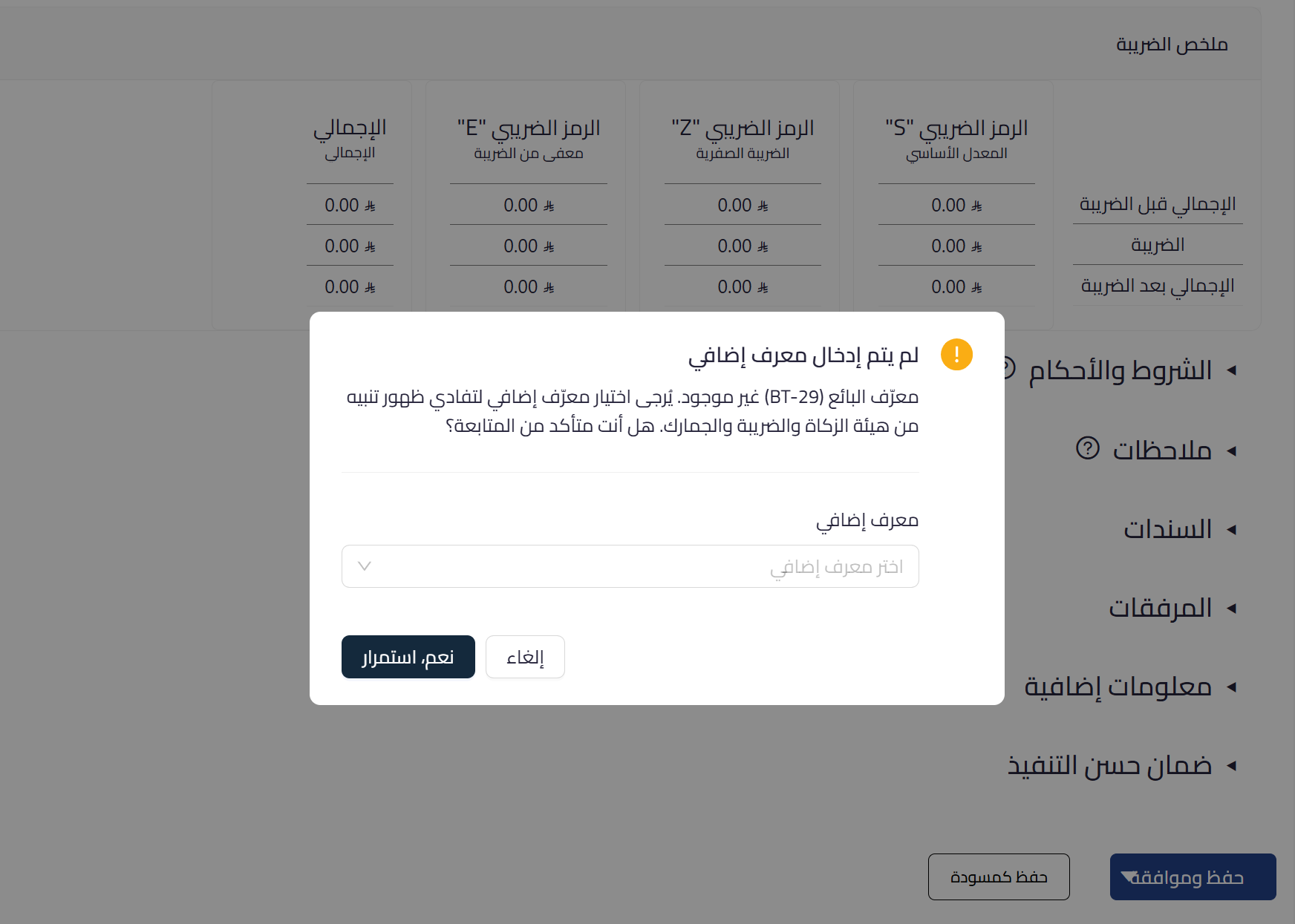
Qoyod has added a new alert that appears when saving an invoice or credit note if the seller additional identifier (BT-29) has not been defined in the establishment settings. The alert allows you to enter the identifier directly during the save process.
How does the update work?
- When choosing Save and Approve and BT-29 has not been added:
- An alert window appears indicating that seller identifier (BT-29) is not added
- You can select the identifier type from a dropdown list and enter its value directly
Available identifier types
- Commercial Registration Number (CRN)
- Municipality License (MOM)
- Human Resources and Social Development License (MLS)
- Investment License (SAG)
- 700 Number / Other identifier (OTH)
Only one identifier can be entered in this step.
Learn more about e-invoicing and ZATCA in Qoyod and how our system protects your establishment from invoice rejections.