
Qoyod is pleased to introduce an important update to Qoyod POS that significantly improves printing efficiency and flexibility by supporting multiple printers connected simultaneously.
New features
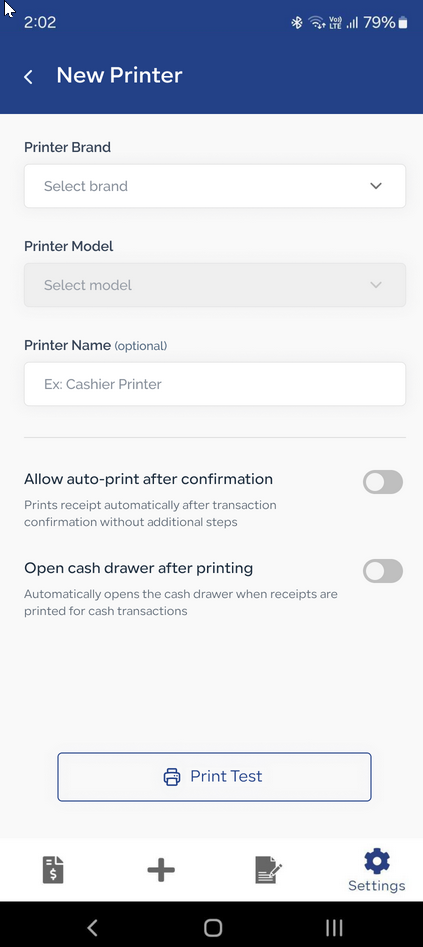
Auto-print
- Enable automatic receipt printing by default
- Receipts print automatically after a transaction is confirmed, with no extra steps
- This behavior can be controlled from POS settings
Advanced printer management
- A unified screen for adding a new printer or editing an existing one
- Select printer brand and model from dropdown lists
- “Test print” button to verify connectivity
- Dedicated support for Epson printers with automatic network scanning
Manual document printing
- A “Select printers” dialog appears when the print button is clicked manually
- All saved printers are listed with their connection status
- Select multiple printers to print a batch in one action
Learn more about Qoyod POS and how it improves your daily sales operations.