
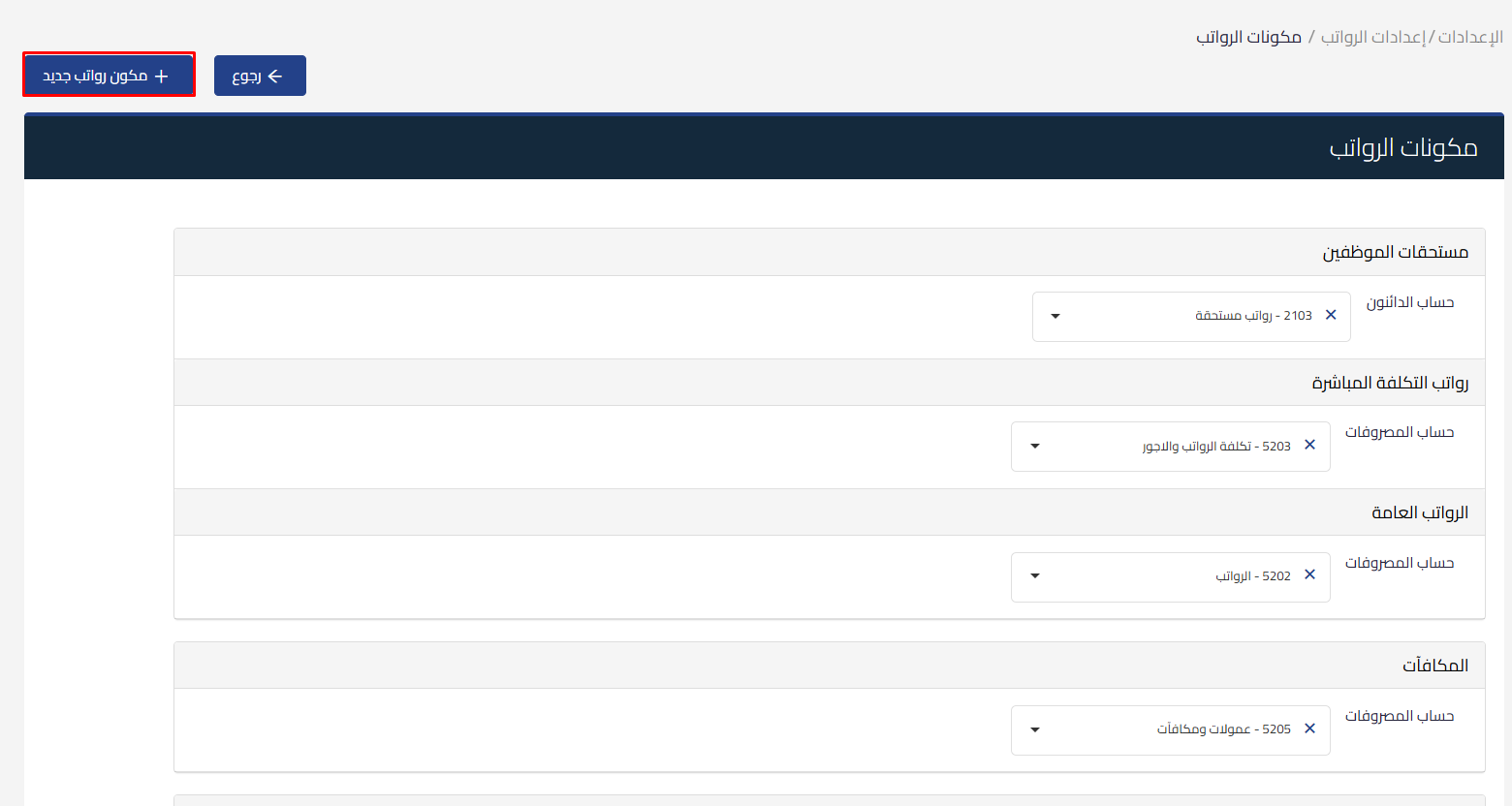
Payroll Type Management Update
We are introducing a new update in Qoyod within payroll settings that gives you flexibility in managing and categorizing payroll expenses inside your accounting system.
Before the update
The system offered only two payroll/salary types:
- Direct Cost
- Overhead Cost
It was not possible to add or customize other types to match each business’s needs.
After the update
You can now:
- Add multiple payroll/salary types based on your business structure.
- Link each type to the appropriate expense account in the chart of accounts, whether from expenses or assets.
- New types appear directly on the employee page under Employment Details.
- Filter by employment type to easily view employees associated with those types.
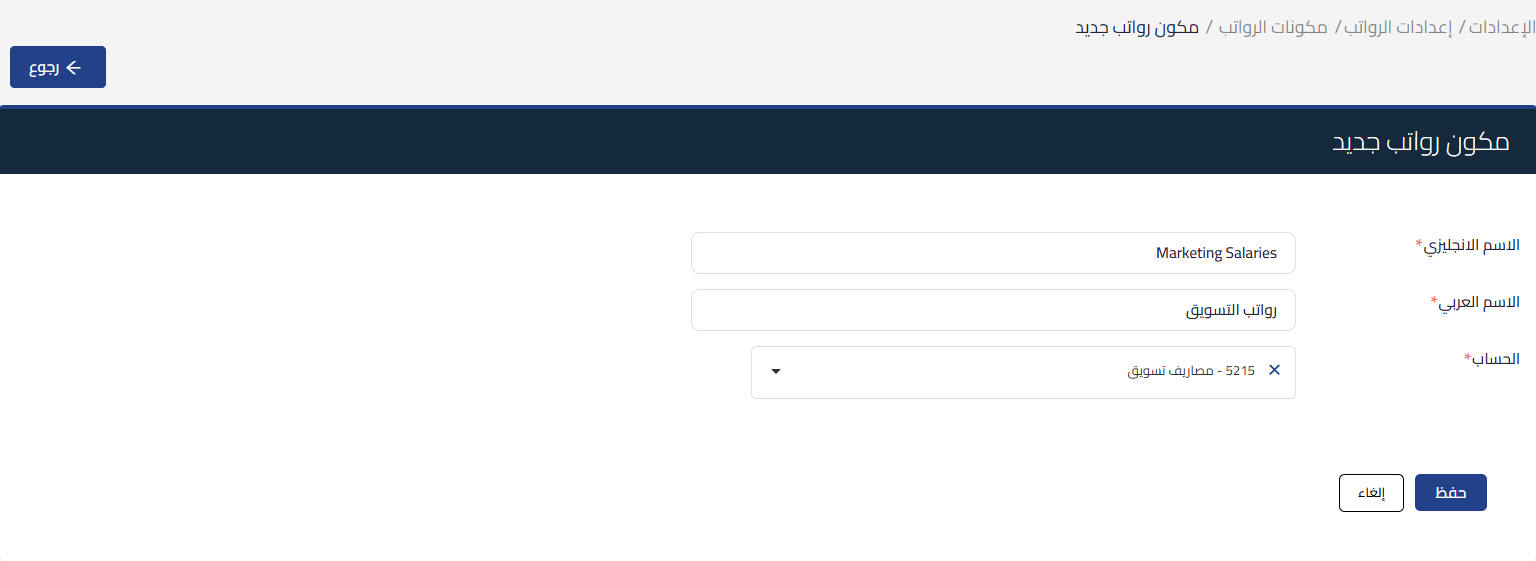
How to add a new payroll type
- Go to Settings, then Payroll Settings, then Payroll Components
- Click “New Payroll Component”
- Add the type name in Arabic and English, and specify the account for the cost or expense of the new payroll type
- After saving, you can delete it if it is not linked to any employee, or edit it and the changes will be reflected in new payrolls
Learn about Qoyod and how it simplifies payroll management and employment types with full flexibility.