
Overview
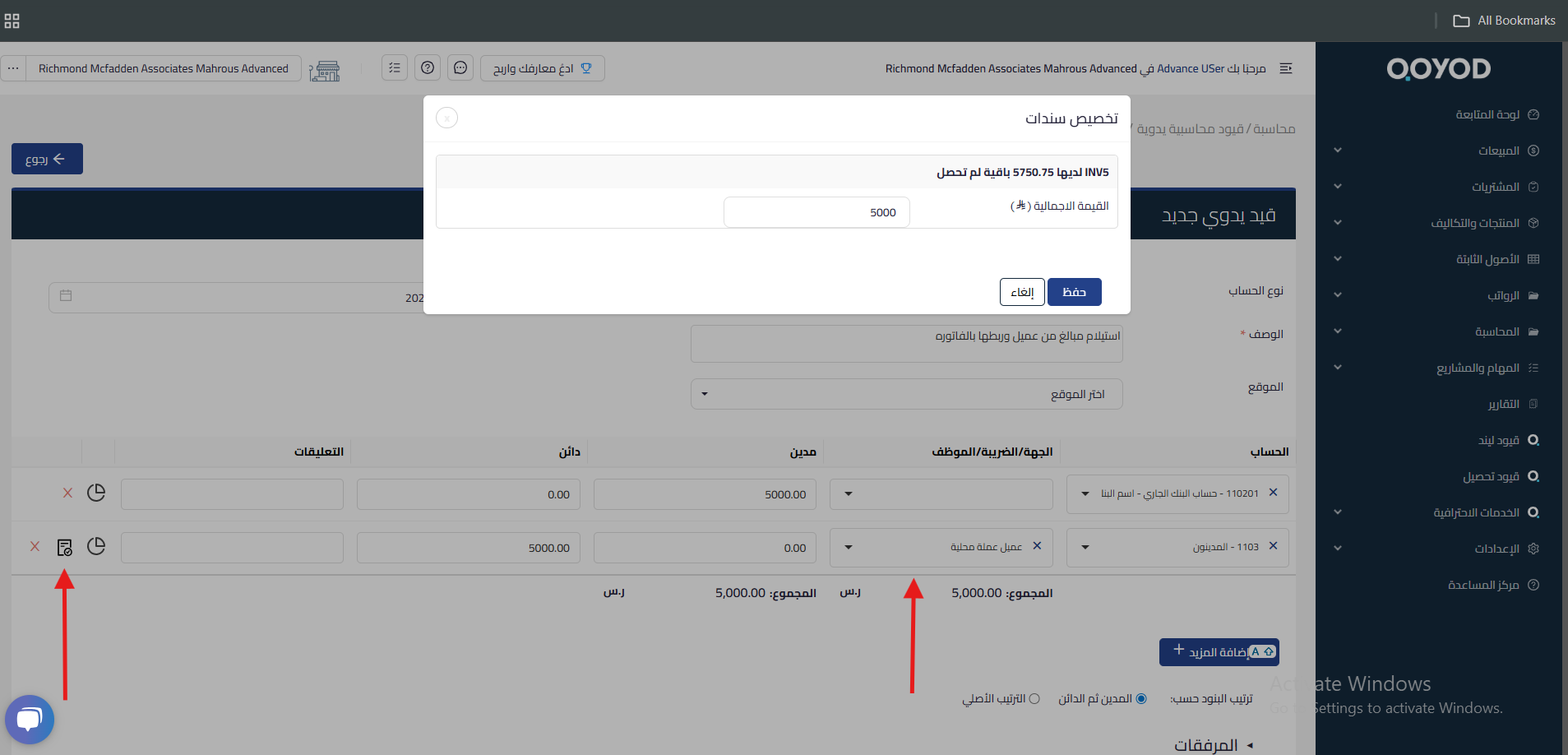
We are pleased to announce a new feature in Qoyod accounting system that enables users to apply payments to customers and vendors directly through manual journal entries (MJEs). This enhancement introduces two additional account types, customer payment and vendor payment, allowing more precise allocation of payments to specific invoices.
Key highlights
New account types
- Customer payment: Users can now select this account type when recording payments received from customers.
- Vendor payment: This account type allows users to record payments made to vendors.
Invoice allocation
Users can allocate payments to specific invoices based on the collected or paid amount, via a user-friendly interface that allows selecting the relevant invoices during the manual journal entry process.
Improved reporting
Tracking customer and vendor payments improves the accuracy of financial reports. Users can view outstanding invoices and quickly allocate payments.
Benefits
- Improved accuracy: Ensures payments are applied to the correct invoices, reducing the risk of discrepancies.
- Better cash flow management: Improved visibility into customer and vendor accounts helps track cash flow.
- Time savings: Streamlined payment processes save accounting teams time.
How to access it
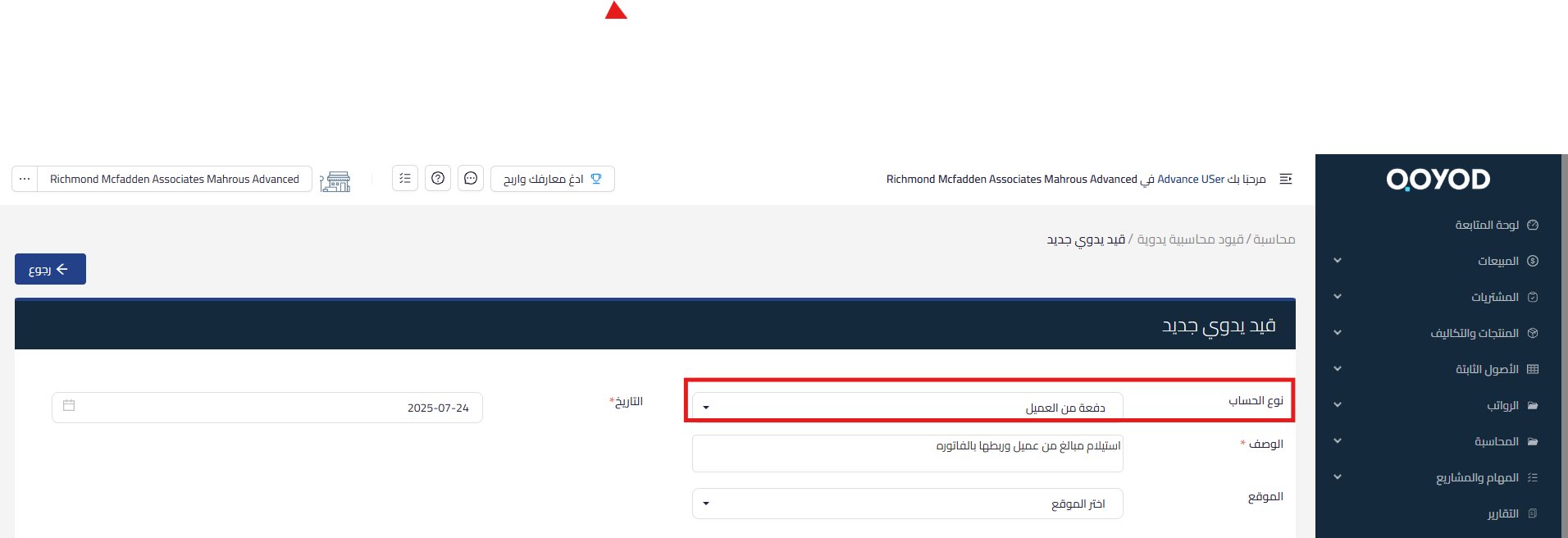
- Go to the Manual Journal Entry section in the Qoyod dashboard.
- Select either “Customer Payment” or “Vendor Payment” from the “Account Type” dropdown in the MJE.
- Choose the specific account item and the invoices to which payments will be allocated based on the collected or paid amount.
Learn about Qoyod and discover how it improves accounting journal management and payment application efficiently.