
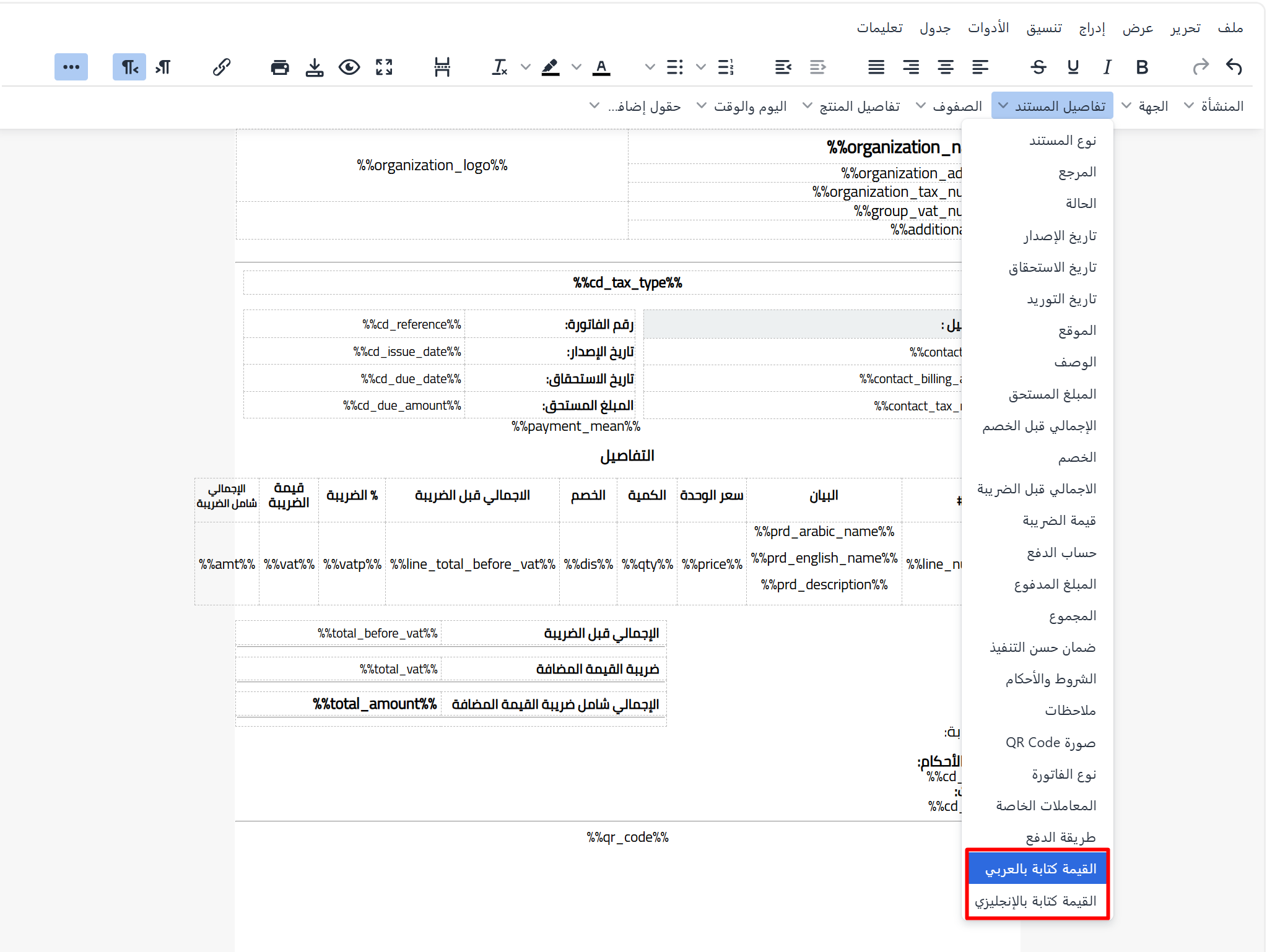
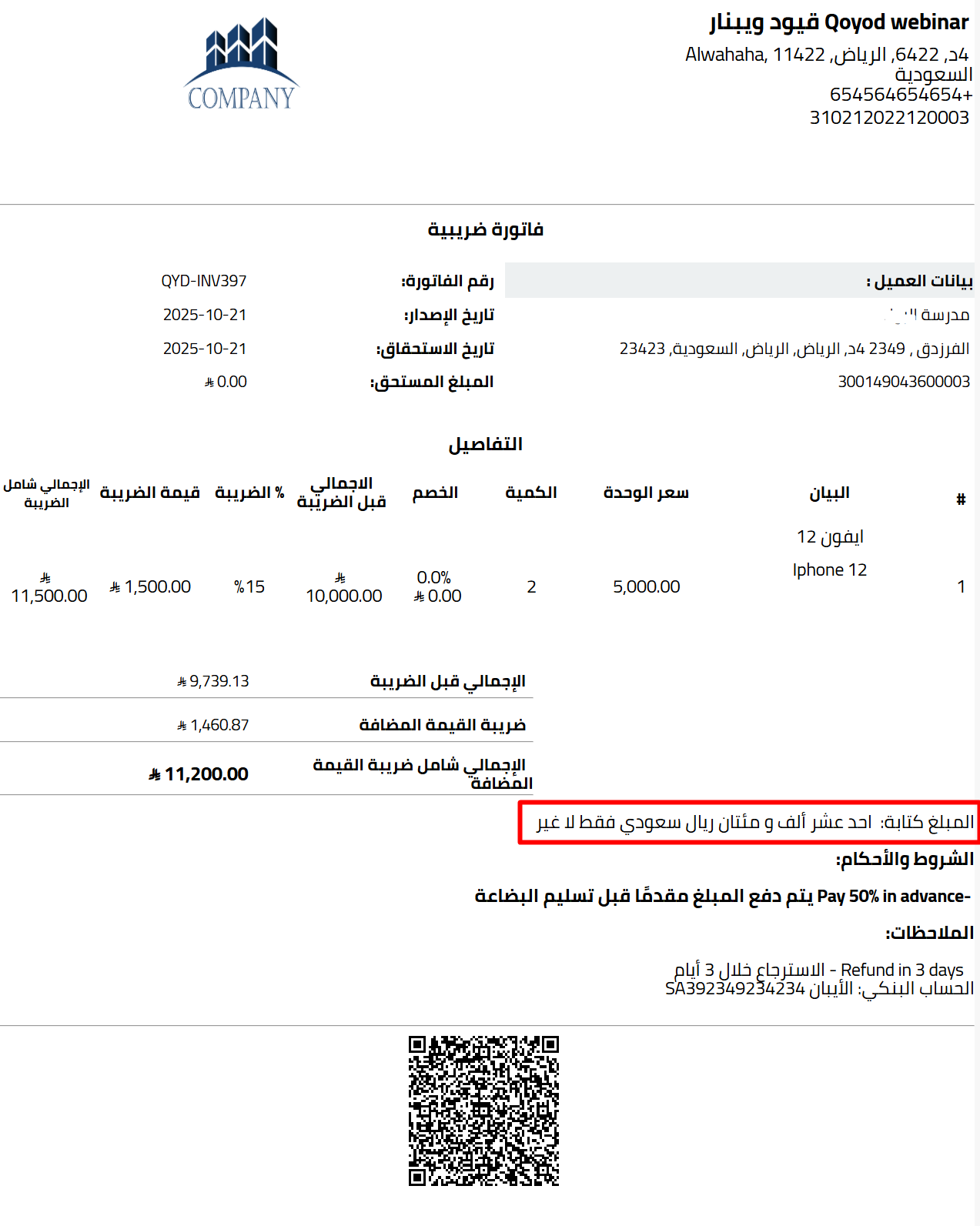
To enhance clarity and accuracy in invoices, Qoyod has added a new feature that displays the invoice total in words in both Arabic and English alongside the numeric value. This helps reduce the chance of errors when reviewing invoices and adds a higher level of professionalism when sharing them with customers or official bodies.
The amount in words is calculated automatically based on the invoice grand total after taxes and discounts, and appears when printing or downloading the invoice as a PDF.
How to add the amount in words to your invoice template
- From General Settings, choose the tab for the desired document settings, then open the document designer
- Select the template you want to edit, or create a new one
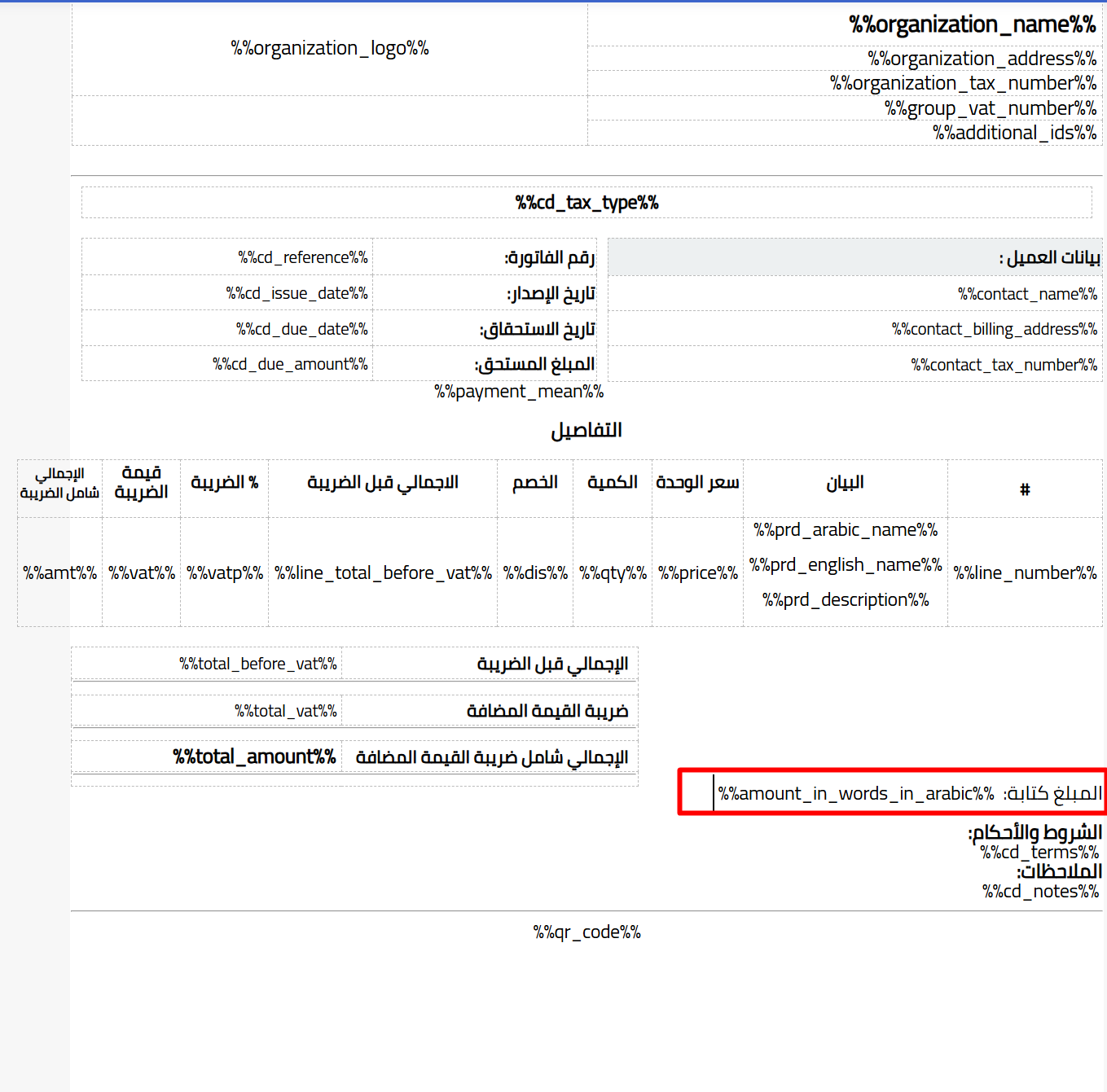
- Add the “Amount in Words” field in the appropriate position within the invoice design
- Click Save to apply the change
Learn more about the features of Qoyod accounting system and managing e-invoices in Saudi Arabia.